 编程部落
编程部落文章目录
- Last login: Sun Mar 22 16:49:59 on ttys000 ➜ ~ openclaw config 🦞 OpenClaw 2026.3.13 (61d171a) — Greetings, Professor Falken ▄▄▄▄▄▄▄▄▄▄▄▄▄▄▄▄▄▄▄▄▄▄▄▄▄▄▄▄▄▄▄▄▄▄▄▄▄▄▄▄▄▄▄▄▄▄▄▄▄▄▄▄ ██░▄▄▄░██░▄▄░██░▄▄▄██░▀██░██░▄▄▀██░████░▄▄▀██░███░██ ██░███░██░▀▀░██░▄▄▄██░█░█░██░█████░████░▀▀░██░█░█░██ ██░▀▀▀░██░█████░▀▀▀██░██▄░██░▀▀▄██░▀▀░█░██░██▄▀▄▀▄██ ▀▀▀▀▀▀▀▀▀▀▀▀▀▀▀▀▀▀▀▀▀▀▀▀▀▀▀▀▀▀▀▀▀▀▀▀▀▀▀▀▀▀▀▀▀▀▀▀▀▀▀▀ 🦞 OPENCLAW 🦞 ┌ OpenClaw configure │ ◇ Existing config detected ─────────╮ │ │ │ workspace: ~/.openclaw/workspace │ │ model: omlx/Qwen3.5-9B-MLX-4bit │ │ gateway.mode: local │ │ gateway.port: 18789 │ │ gateway.bind: loopback │ │ │ ├────────────────────────────────────╯ │ ◇ Where will the Gateway run? │ Local (this machine) │ ◇ Select sections to configure │ Model │ ◇ Model/auth provider │ Custom Provider │ ◇ API Base URL │ http://127.0.0.1:8888/v1 │ ◇ How do you want to provide this API key? │ Paste API key now │ ◇ API Key (leave blank if not required) │ │ ◇ Endpoint compatibility │ OpenAI-compatible │ ◇ Model ID │ Qwen3.5-9B-MLX-4bit │ ◇ Verification failed: status 401 │ ◇ What would you like to change? │ Change model │ ◇ Model ID │ omlx/Qwen3.5-9B-MLX-4bit │ ◇ Verification failed: status 401 │ ◇ What would you like to change? │ Change base URL │ ◇ API Base URL │ http://127.0.0.1:8888/v1 │ ◇ How do you want to provide this API key? │ Paste API key now │ ◇ API Key (leave blank if not required) │ xxxxxxxx(与之前设置的一致) │ ◇ Verification successful. │ ◇ Endpoint ID │ custom-127-0-0-1-8888 │ ◇ Model alias (optional) │ omlx Configured custom provider: custom-127-0-0-1-8888/omlx/Qwen3.5-9B-MLX-4bit Config overwrite: /Users/holyeyes/.openclaw/openclaw.json (sha256 302bbefe5d4891362442457b61c553500dc6bdfc0ed4992aa5e2bf83aec39dff -> 4a26c79e37fc83418b80ef48c4b9263bdefa83af0e0fe34702e86db01f028a03, backup=/Users/holyeyes/.openclaw/openclaw.json.bak) Updated ~/.openclaw/openclaw.json │ ◇ Select sections to configure │ Continue │ ◇ Control UI ────────────────────────────────────╮ │ │ │ Web UI: http://127.0.0.1:18789/ │ │ Gateway WS: ws://127.0.0.1:18789 │ │ Gateway: reachable │ │ Docs: https://docs.openclaw.ai/web/control-ui │ │ │ ├─────────────────────────────────────────────────╯ │ └ Configure complete. ➜ ~ openclaw gateway restart 🦞 OpenClaw 2026.3.13 (61d171a) Somewhere between ‘hello world’ and ‘oh god what have I built.’ Restarted LaunchAgent: gui/501/ai.openclaw.gateway
目录
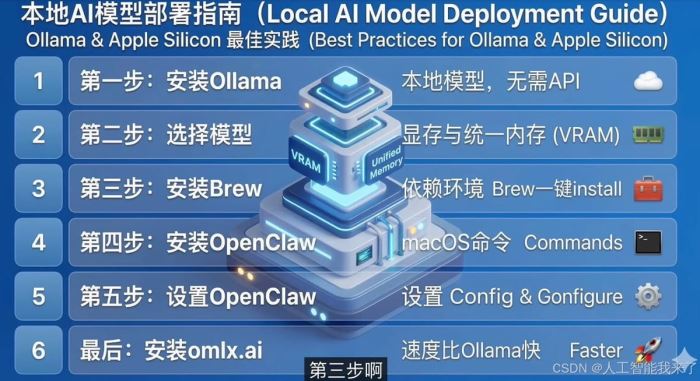
- 1.选择 Mac mini 跑本地模型?静音与功耗优势
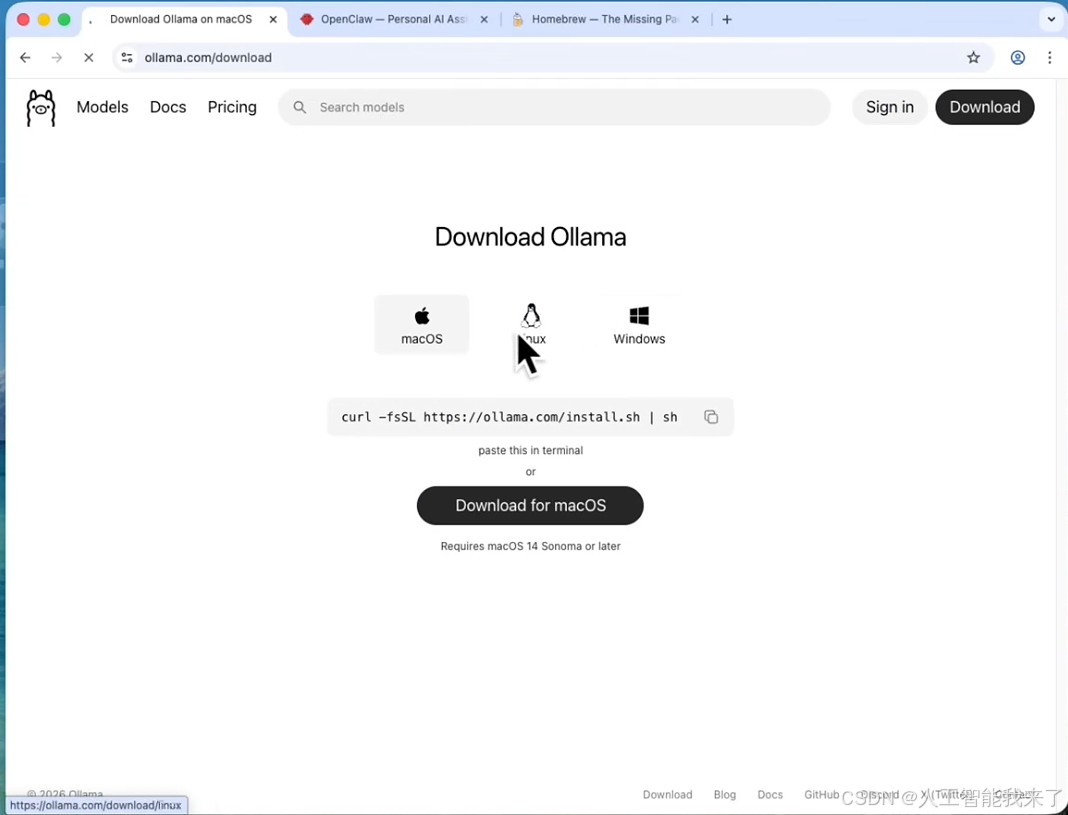
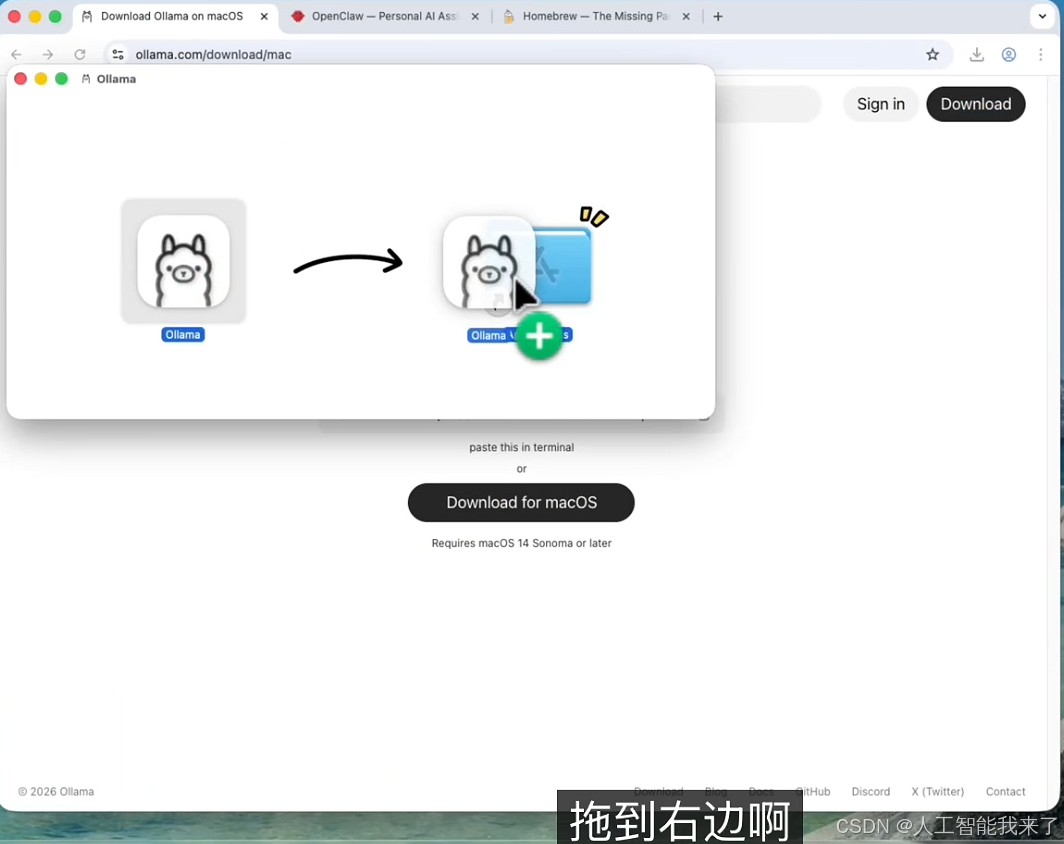
- 2.下载并安装 Ollama 本地运行环境
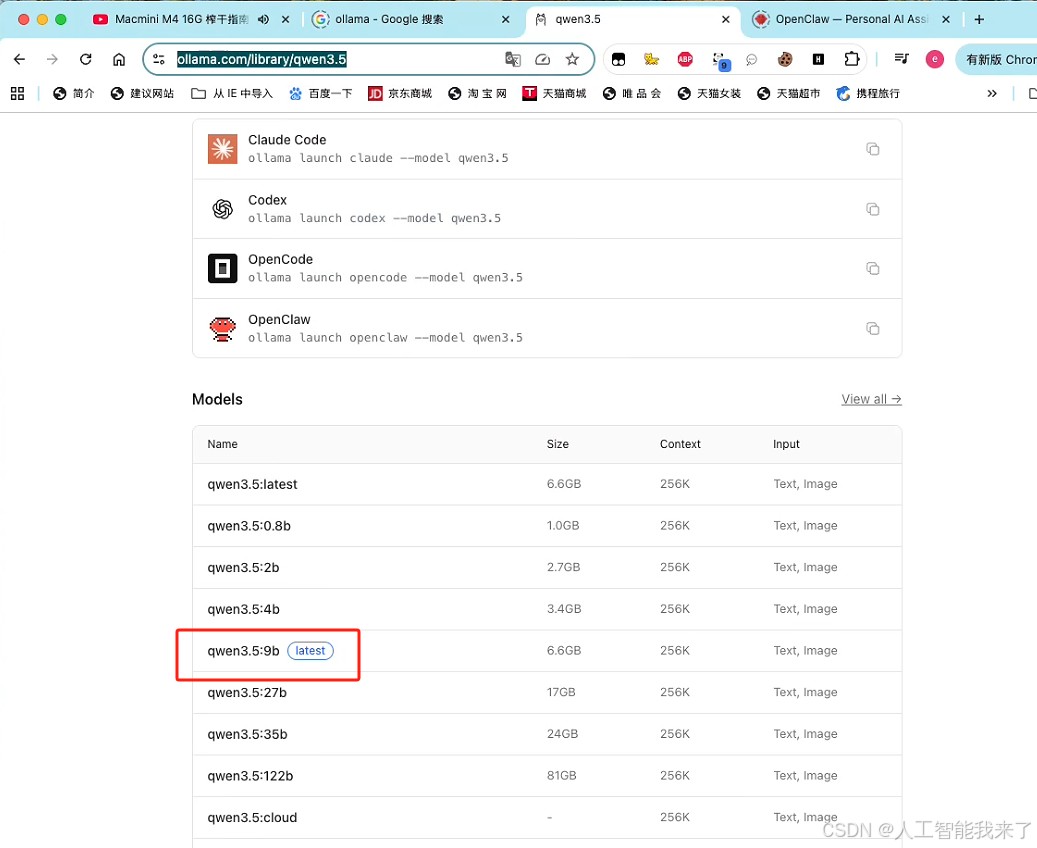
- 3.16G 内存该如何选模型?实测千问 3.5 (9B)
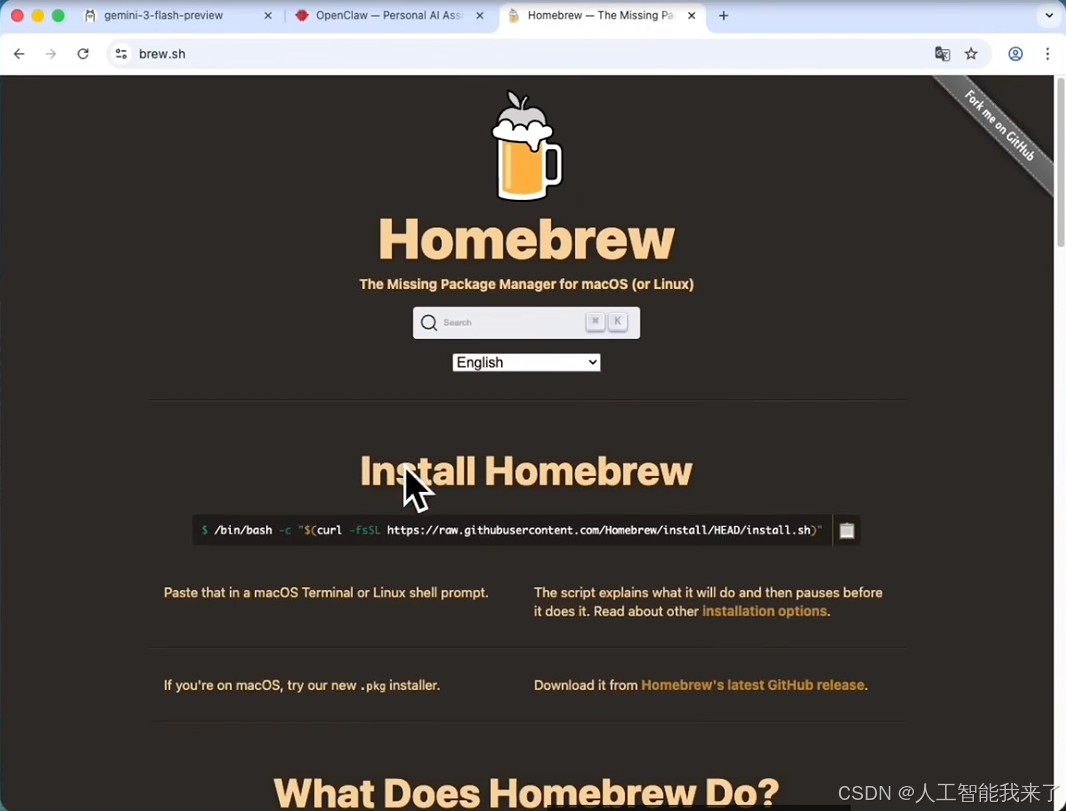
- 4.安装 macOS 依赖环境 (Homebrew、Node.js、Git)
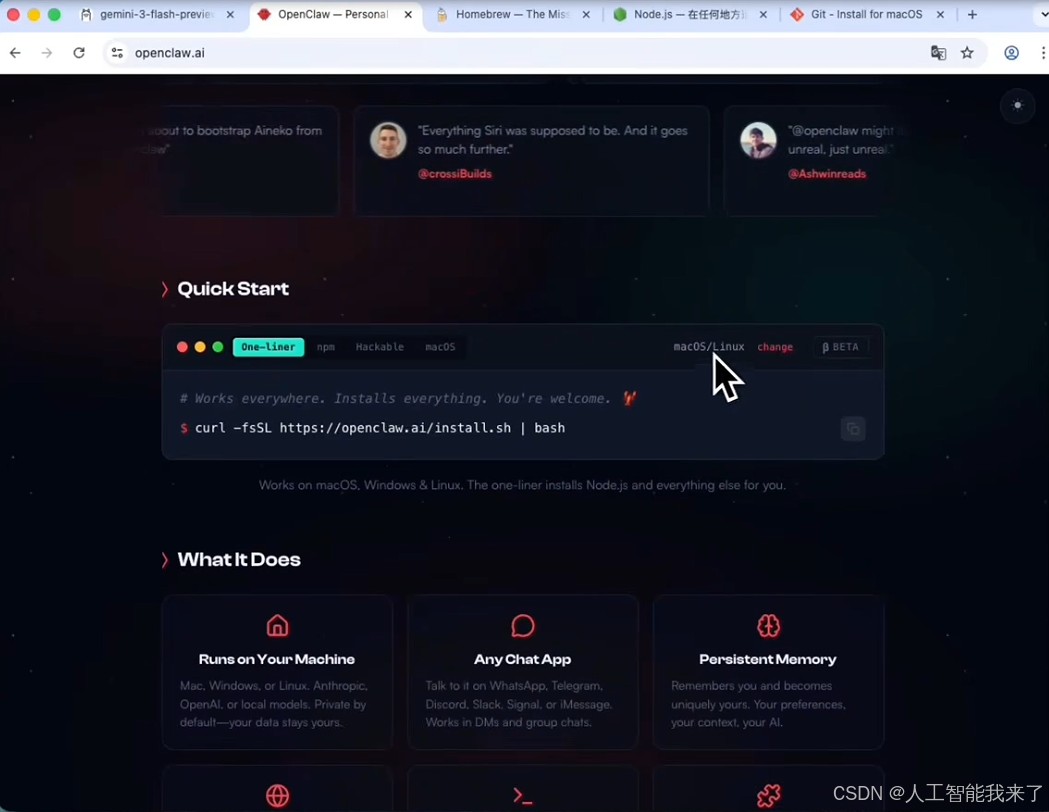
- 5.一键安装开源客户端面板
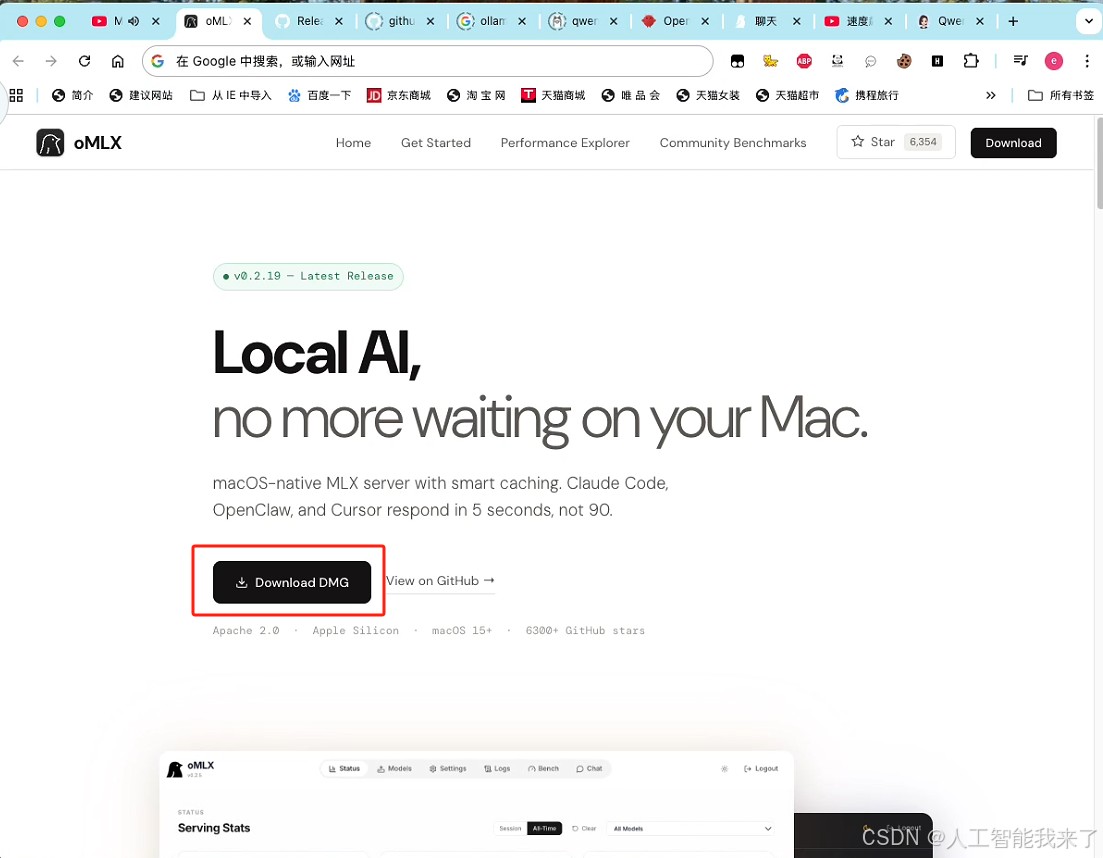
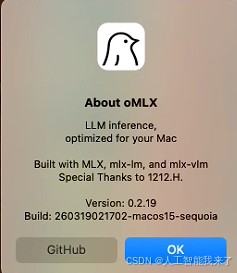
- 6.安装 MLX (OMLX) 平台,苹果电脑跑模型提速神器!
- 6.1 https://omlx.ai/
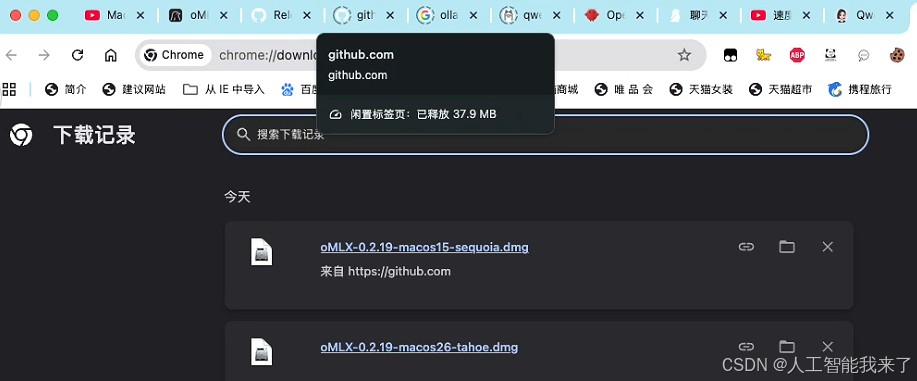
- 6.2 我能正常用的是第一个
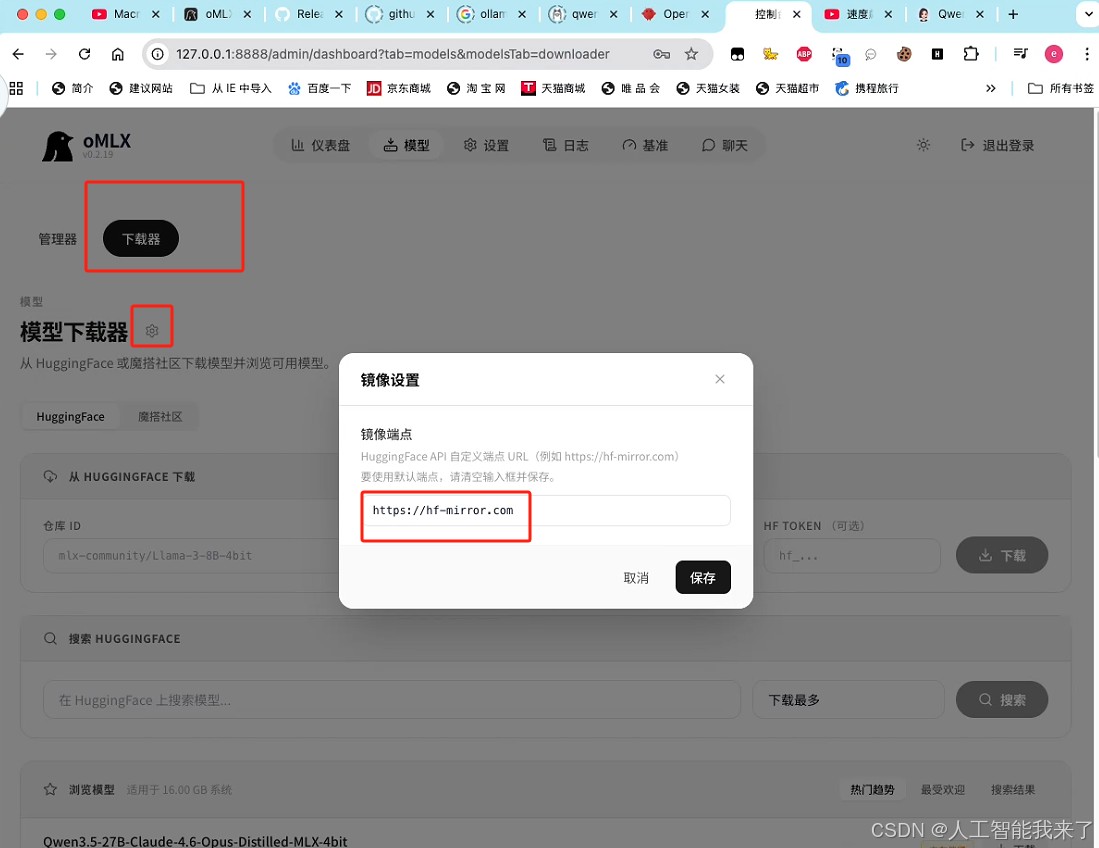
- 6.3 下载模型,先设置镜像网站,下载速度才快
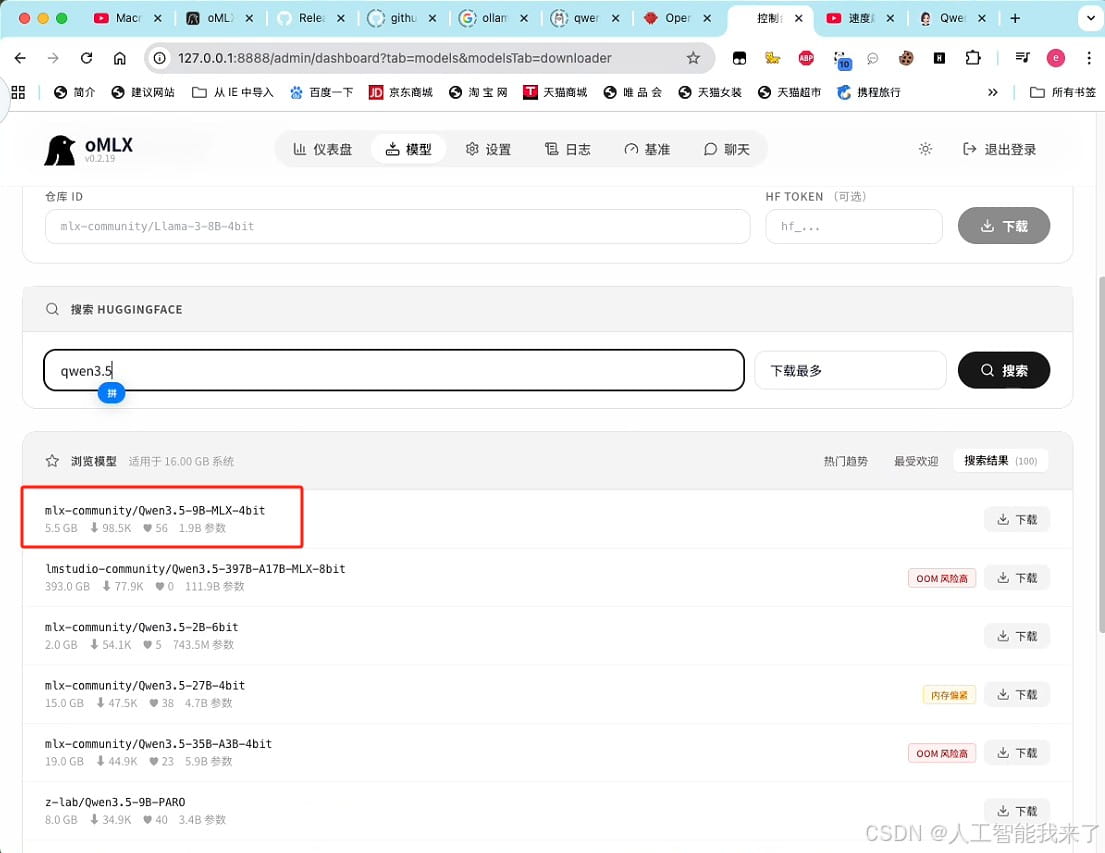
- 6.4 下载
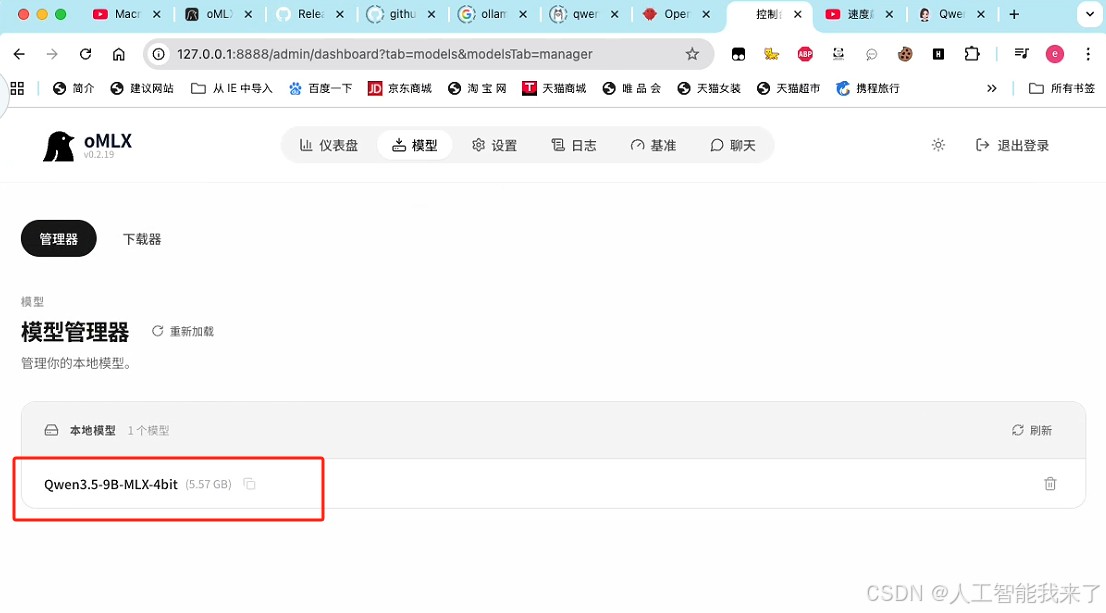
- 6.5 完成下载后可以看到模型
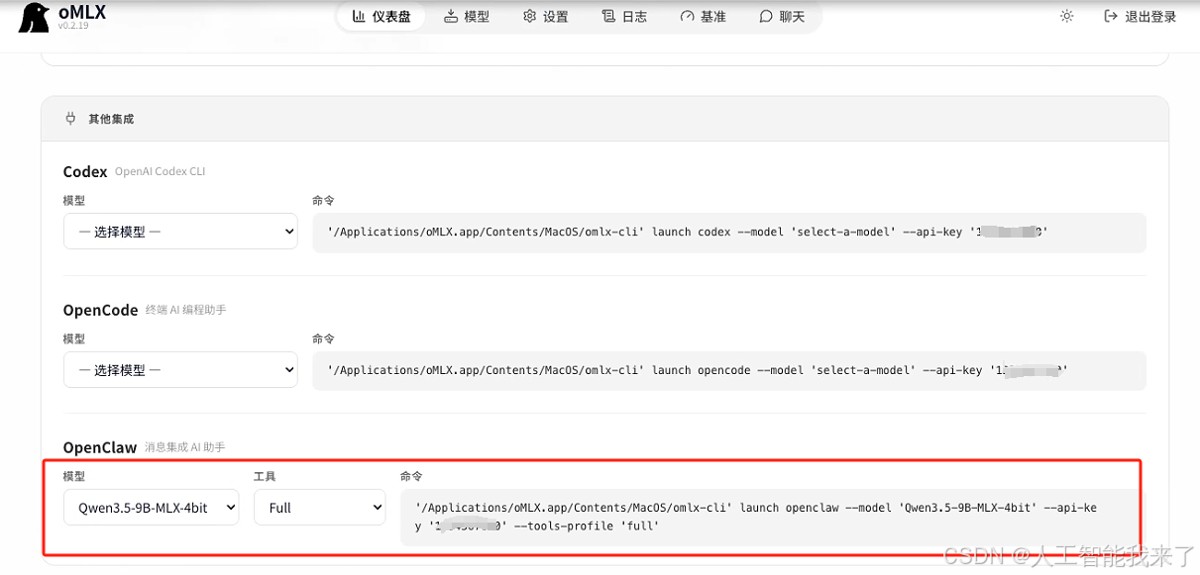
- 6.6 配置openclaw model参数的自动脚本
- 7 ollma和omlx实测对比
介绍专为苹果 macOS 深度优化的 oMLX 框架,让你的本地模型运行速度直接飙升好几倍 !全网最保姆级教程,干货满满,千万别错过!
https://ollama.com/download
https://ollama.com/library/qwen3.5
➜  / cd
➜  ~ pwd
/Users/holyeyes
➜  ~ ollama list
NAME    ID    SIZE    MODIFIED
➜  ~ ollama run qwen3.5:9b
pulling manifest
pulling dec52a44569a: 100% ▕██████████████████▏ 6.6 GB
pulling 7339fa418c9a: 100% ▕██████████████████▏  11 KB
pulling 9371364b27a5: 100% ▕██████████████████▏   65 B
pulling be595b49fe22: 100% ▕██████████████████▏  475 B
verifying sha256 digest
writing manifest
success
>>> Sen
➜  ~ cd
➜  ~ pwd
/Users/holyeyes
➜  ~ /bin/bash -c "$(curl -fsSL https://raw.githubusercontent.com/Homebrew/install/HEAD/install.sh)"
执行结果如下:
==> Checking for `sudo` access (which may request your password)...
Password:
==> This script will install:
/opt/homebrew/bin/brew
/opt/homebrew/share/doc/homebrew
/opt/homebrew/share/man/man1/brew.1
/opt/homebrew/share/zsh/site-functions/_brew
/opt/homebrew/etc/bash_completion.d/brew
/opt/homebrew
/etc/paths.d/homebrew
Press RETURN/ENTER to continue or any other key to abort:
==> /usr/bin/sudo /usr/sbin/chown -R holyeyes:admin /opt/homebrew
==> Downloading and installing Homebrew...
remote: Enumerating objects: 20571, done.
remote: Counting objects: 100% (6436/6436), done.
remote: Compressing objects: 100% (211/211), done.
remote: Total 20571 (delta 6326), reused 6228 (delta 6225), pack-reused 14135 (from 2)
==> /usr/bin/sudo /bin/mkdir -p /etc/paths.d
==> /usr/bin/sudo tee /etc/paths.d/homebrew
/opt/homebrew/bin
==> /usr/bin/sudo /usr/sbin/chown root:wheel /etc/paths.d/homebrew
==> /usr/bin/sudo /bin/chmod a+r /etc/paths.d/homebrew
==> Updating Homebrew...
==> Downloading https://ghcr.io/v2/homebrew/core/portable-ruby/blobs/sha256:cef6f881f516d2cdbd0a5bfc7e20318da8b047cf2674ee27c5d4858d3ecd6430
######################################################################### 100.0%
==> Pouring portable-ruby-4.0.1.arm64_big_sur.bottle.tar.gz
Updated 2 taps (homebrew/core and homebrew/cask).
==> Installation successful!
==> Homebrew has enabled anonymous aggregate formulae and cask analytics.
Read the analytics documentation (and how to opt-out) here:
  https://docs.brew.sh/Analytics
No analytics data has been sent yet (nor will any be during this install run).
==> Homebrew is run entirely by unpaid volunteers. Please consider donating:
  https://github.com/Homebrew/brew#donations
==> Next steps:
- Run brew help to get started
- Further documentation:
    https://docs.brew.sh
➜  ~ pwd
/Users/holyeyes
➜  ~ curl -fsSL https://openclaw.ai/install.sh | bash
  🦞 OpenClaw Installer
  The only crab in your contacts you actually want to hear from. 🦞
✓ Detected: macos
Install plan
OS: macos
Install method: npm
Requested version: latest
[1/3] Preparing environment
✓ Homebrew already installed
· Node.js not found, installing it now
· Installing Node.js via Homebrew
To relink, run:
  brew unlink node@22 && brew link node@22
✓ Node.js installed
· Active Node.js: v22.22.1 (/opt/homebrew/opt/node@22/bin/node)
· Active npm: 10.9.4 (/opt/homebrew/opt/node@22/bin/npm)
[2/3] Installing OpenClaw
✓ Git already installed
· Installing OpenClaw v2026.3.13
✓ OpenClaw npm package installed
✓ OpenClaw installed
[3/3] Finalizing setup
🦞 OpenClaw installed successfully (OpenClaw 2026.3.13 (61d171a))!
cracks claws Alright, what are we building?
· Starting setup
🦞 OpenClaw 2026.3.13 (61d171a)
   I'm the reason your shell history looks like a hacker-movie montage.
▄▄▄▄▄▄▄▄▄▄▄▄▄▄▄▄▄▄▄▄▄▄▄▄▄▄▄▄▄▄▄▄▄▄▄▄▄▄▄▄▄▄▄▄▄▄▄▄▄▄▄▄
██░▄▄▄░██░▄▄░██░▄▄▄██░▀██░██░▄▄▀██░████░▄▄▀██░███░██
██░███░██░▀▀░██░▄▄▄██░█░█░██░█████░████░▀▀░██░█░█░██
██░▀▀▀░██░█████░▀▀▀██░██▄░██░▀▀▄██░▀▀░█░██░██▄▀▄▀▄██
▀▀▀▀▀▀▀▀▀▀▀▀▀▀▀▀▀▀▀▀▀▀▀▀▀▀▀▀▀▀▀▀▀▀▀▀▀▀▀▀▀▀▀▀▀▀▀▀▀▀▀▀
                  🦞 OPENCLAW 🦞
┌  OpenClaw onboarding
│
◇  Security ──────────────────────────────────────────────────────────────╮
│                                                                         │
│  Security warning — please read.                                        │
│                                                                         │
│  OpenClaw is a hobby project and still in beta. Expect sharp edges.     │
│  By default, OpenClaw is a personal agent: one trusted operator         │
│  boundary.                                                              │
│  This bot can read files and run actions if tools are enabled.          │
│  A bad prompt can trick it into doing unsafe things.                    │
│                                                                         │
│  OpenClaw is not a hostile multi-tenant boundary by default.            │
│  If multiple users can message one tool-enabled agent, they share that  │
│  delegated tool authority.                                              │
│                                                                         │
│  If you’re not comfortable with security hardening and access control,  │
│  don’t run OpenClaw.                                                    │
│  Ask someone experienced to help before enabling tools or exposing it   │
│  to the internet.                                                       │
│                                                                         │
│  Recommended baseline:                                                  │
│  - Pairing/allowlists + mention gating.                                 │
│  - Multi-user/shared inbox: split trust boundaries (separate            │
│    gateway/credentials, ideally separate OS users/hosts).               │
│  - Sandbox + least-privilege tools.                                     │
│  - Shared inboxes: isolate DM sessions (`session.dmScope:               │
│    per-channel-peer`) and keep tool access minimal.                     │
│  - Keep secrets out of the agent’s reachable filesystem.                │
│  - Use the strongest available model for any bot with tools or          │
│    untrusted inboxes.                                                   │
│                                                                         │
│  Run regularly:                                                         │
│  openclaw security audit --deep                                         │
│  openclaw security audit --fix                                          │
│                                                                         │
│  Must read: https://docs.openclaw.ai/gateway/security                   │
│                                                                         │
├─────────────────────────────────────────────────────────────────────────╯
│
◇  I understand this is personal-by-default and shared/multi-user use requires
lock-down. Continue?
│  Yes
│
◇  Onboarding mode
│  QuickStart
│
◇  QuickStart ─────────────────────────╮
│                                      │
│  Gateway port: 18789                 │
│  Gateway bind: Loopback (127.0.0.1)  │
│  Gateway auth: Token (default)       │
│  Tailscale exposure: Off             │
│  Direct to chat channels.            │
│                                      │
├──────────────────────────────────────╯
│
◇  Model/auth provider
│  Skip for now
Last login: Sun Mar 22 16:49:59 on ttys000
➜  ~ openclaw config
🦞 OpenClaw 2026.3.13 (61d171a) — Greetings, Professor Falken
▄▄▄▄▄▄▄▄▄▄▄▄▄▄▄▄▄▄▄▄▄▄▄▄▄▄▄▄▄▄▄▄▄▄▄▄▄▄▄▄▄▄▄▄▄▄▄▄▄▄▄▄
██░▄▄▄░██░▄▄░██░▄▄▄██░▀██░██░▄▄▀██░████░▄▄▀██░███░██
██░███░██░▀▀░██░▄▄▄██░█░█░██░█████░████░▀▀░██░█░█░██
██░▀▀▀░██░█████░▀▀▀██░██▄░██░▀▀▄██░▀▀░█░██░██▄▀▄▀▄██
▀▀▀▀▀▀▀▀▀▀▀▀▀▀▀▀▀▀▀▀▀▀▀▀▀▀▀▀▀▀▀▀▀▀▀▀▀▀▀▀▀▀▀▀▀▀▀▀▀▀▀▀
                  🦞 OPENCLAW 🦞
┌  OpenClaw configure
│
◇  Existing config detected ─────────╮
│                                    │
│  workspace: ~/.openclaw/workspace  │
│  model: omlx/Qwen3.5-9B-MLX-4bit   │
│  gateway.mode: local               │
│  gateway.port: 18789               │
│  gateway.bind: loopback            │
│                                    │
├────────────────────────────────────╯
│
◇  Where will the Gateway run?
│  Local (this machine)
│
◇  Select sections to configure
│  Model
│
◇  Model/auth provider
│  Custom Provider
│
◇  API Base URL
│  http://127.0.0.1:8888/v1
│
◇  How do you want to provide this API key?
│  Paste API key now
│
◇  API Key (leave blank if not required)
│
│
◇  Endpoint compatibility
│  OpenAI-compatible
│
◇  Model ID
│  Qwen3.5-9B-MLX-4bit
│
◇  Verification failed: status 401
│
◇  What would you like to change?
│  Change model
│
◇  Model ID
│  omlx/Qwen3.5-9B-MLX-4bit
│
◇  Verification failed: status 401
│
◇  What would you like to change?
│  Change base URL
│
◇  API Base URL
│  http://127.0.0.1:8888/v1
│
◇  How do you want to provide this API key?
│  Paste API key now
│
◇  API Key (leave blank if not required)
│ xxxxxxxx(与之前设置的一致)
│
◇  Verification successful.
│
◇  Endpoint ID
│  custom-127-0-0-1-8888
│
◇  Model alias (optional)
│  omlx
Configured custom provider: custom-127-0-0-1-8888/omlx/Qwen3.5-9B-MLX-4bit
Config overwrite: /Users/holyeyes/.openclaw/openclaw.json (sha256 302bbefe5d4891362442457b61c553500dc6bdfc0ed4992aa5e2bf83aec39dff -> 4a26c79e37fc83418b80ef48c4b9263bdefa83af0e0fe34702e86db01f028a03, backup=/Users/holyeyes/.openclaw/openclaw.json.bak)
Updated ~/.openclaw/openclaw.json
│
◇  Select sections to configure
│  Continue
│
◇  Control UI ────────────────────────────────────╮
│                                                 │
│  Web UI: http://127.0.0.1:18789/                │
│  Gateway WS: ws://127.0.0.1:18789               │
│  Gateway: reachable                             │
│  Docs: https://docs.openclaw.ai/web/control-ui  │
│                                                 │
├─────────────────────────────────────────────────╯
│
└  Configure complete.
➜  ~ openclaw gateway restart
🦞 OpenClaw 2026.3.13 (61d171a)
   Somewhere between 'hello world' and 'oh god what have I built.'
Restarted LaunchAgent: gui/501/ai.openclaw.gateway
同样的问题:
2,6,12,20,30,(?)
结果:
方案 用时
Ollama 原生 1分50秒
OMLX 加速 10~15秒
速度提升接近 10 倍!
几乎可以做到 秒级响应。
到此这篇关于Macmini M4 openclaw第一集:使用ollama和omlx架构对比分析(保姆级教程)的文章就介绍到这了,更多相关openclaw ollama和omlx架构对比内容请搜索风君子博客以前的文章或继续浏览下面的相关文章,希望大家以后多多支持风君子博客!